
Requirement Calculator – Estimate Project Effort & Time
Requirement Calculator
Estimate project effort, working time, team capacity, and recommended developer count based on features, complexity, and project conditions.
1. Project Requirements
Core Inputs2. Project Parameters
Estimation SettingsCalculation Method
Parametric Estimation
Base Hours × Complexity Multiplier
Sum of Feature Efforts × (1 + Risk Buffer)
Total Effort ÷ (Team Size × Hours per Day)
Total Effort ÷ (Target Days × Hours per Day)
Estimated Requirements
ResultEnter a target duration to calculate the required team size.
Quick Scenario Comparison
Planning| Team | Daily Capacity | Working Days |
|---|
Requirement Calculator is a useful tool for estimating project requirements from scope, features, and complexity. It helps project managers, developers, and business analysts understand how much time, effort, and resources a project may need. This estimation tool gives teams a realistic view of project feasibility before work begins.
The tool takes inputs like feature count, complexity level, team size, and technology stack to generate estimated effort in man-hours or story points. It accounts for uncertainty factors and risk buffers. These factors cause actual requirements to vary from initial estimates.
Users learn how requirement estimation works and which project variables matter most. The requirement estimator helps with sprint planning and budget allocation. It shows the difference between preliminary estimates and detailed estimates. This calculator tool supports smarter decisions about scope, timelines, and resource allocation.
Requirement Calculator Overview
| Category | Details |
| Calculator Type | Project Requirement Estimator |
| Main Purpose | Estimate effort, time, and resources needed for a project |
| Estimation Source | Features, complexity, team capacity, technology stack |
| Main Inputs | Feature Count, Complexity Level, Team Size, Hours per Day |
| Output | Estimated Effort (man-days), Duration, Developer Count |
| Unit | Man-days, Man-hours, Story Points |
| Calculation Type | Parametric estimation with complexity multipliers |
| Accuracy | Estimate only; varies by scope clarity, team experience, and other factors |
| Best For | Project managers, software teams, freelancers, agencies |
What Is Requirement Calculator?
A Requirement Calculator is a digital tool that estimates how much effort, time, and resources a project will require based on its scope and complexity. It transforms feature lists and project descriptions into quantifiable estimates. The calculator removes some of the guesswork from project planning.
Project managers use this estimation tool to create realistic timelines. Software developers rely on it to understand sprint capacity. Freelancers and agencies use it to quote project prices accurately. The tool solves the problem of scope uncertainty in project delivery.
The estimated result represents the total effort required under normal conditions. It shows how many man-days or story points a project may consume. The number is not a guarantee. Actual effort depends on many variables that change during execution.
Team experience, requirement clarity, and technology familiarity all affect real delivery time. The calculator provides a snapshot based on the inputs and estimation methods available at the time of calculation. Users should treat every result as an estimate, not a promise of delivery.
| Feature | Explanation |
| Effort Estimate | Projected man-days required for project completion |
| Main Inputs | Features, complexity, team size, hours per day |
| Calculation Method | Parametric estimation with complexity multipliers |
| Result | Estimated duration and developer count |
How Does Requirement Calculator Work?
The Requirement Calculator follows a structured process to transform project data into meaningful effort estimates. Each step applies estimation formulas and complexity factors.
- User enters project data: The user provides feature count, complexity level, team size, and available hours per day. These inputs form the foundation of every requirement estimate.
- Calculator assigns complexity weights: Each feature or requirement receives a complexity multiplier based on its technical difficulty. Simple features receive lower weights. Complex features receive higher weights.
- Effort is calculated per feature: The calculator multiplies base effort by the complexity multiplier. This produces effort per feature in man-hours or story points.
- Total effort is aggregated: All feature efforts are summed to produce total project effort. The calculator may add a risk buffer for uncertainty.
- Duration is estimated: Total effort is divided by team capacity to produce calendar duration. Team capacity considers team size, hours per day, and working days.
- Estimated requirements are displayed: The tool shows man-days, duration, and recommended team size. The result is clearly labeled as an estimate.
| Step | Input / Process | Result |
| 1 | Enter features, complexity, team size | Raw project data |
| 2 | Assign complexity weights | Weighted features |
| 3 | Calculate effort per feature | Feature-level estimates |
| 4 | Sum all feature efforts | Total effort |
| 5 | Divide by team capacity | Duration estimate |
| 6 | Display results | Estimated requirements |
How to Use the Requirement Calculator
Use the Requirement Calculator to estimate the effort, working time, and team capacity needed for a software or digital project. Enter your project details, review the calculated effort, and adjust the inputs to compare different planning scenarios.
Step 1: Enter Your Feature Counts
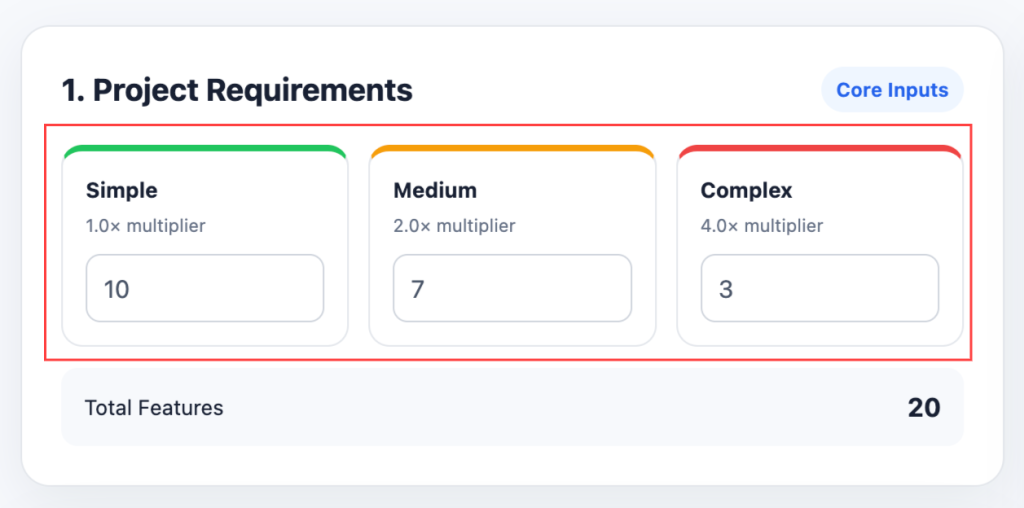
Start by dividing your project requirements into three complexity levels:
- Simple: Features that require relatively straightforward development work.
- Medium: Features that involve more logic, development effort, or dependencies.
- Complex: Features that require significantly more technical effort.
Enter the number of Simple, Medium, and Complex features in the calculator. The tool automatically adds them to determine your total feature count.
Step 2: Set the Base Hours per Feature
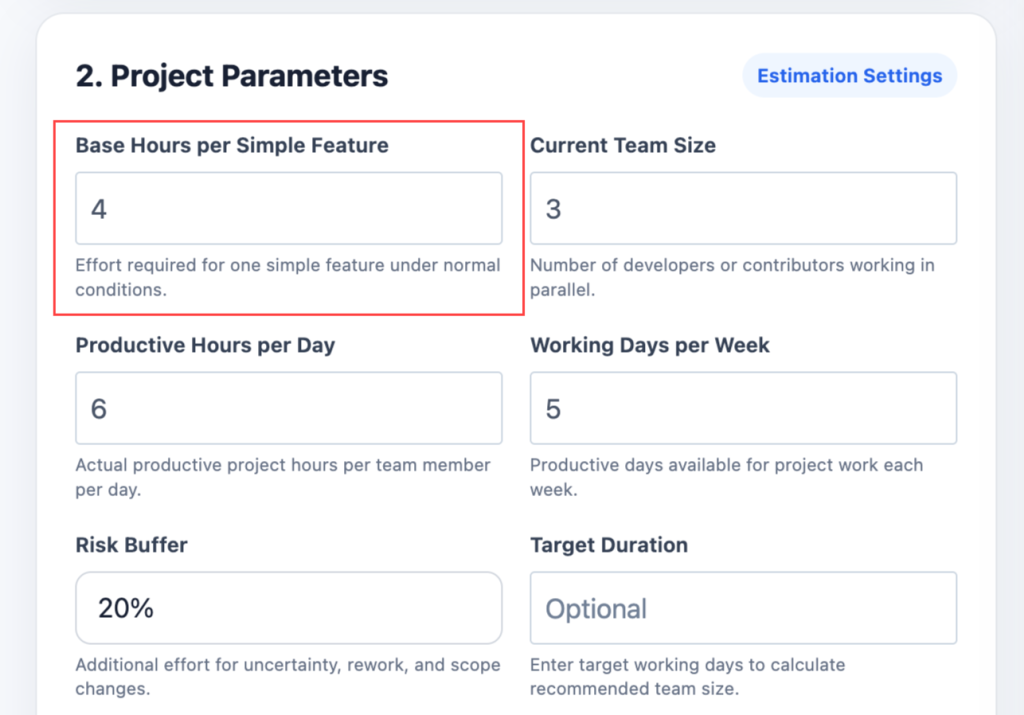
Enter the estimated number of working hours required to complete one Simple feature under normal conditions.
For example, if a Simple feature usually takes about 4 hours, enter 4 as the base hours. The calculator uses this value to calculate the effort for Medium and Complex features using their complexity multipliers.
Step 3: Enter Your Team Size
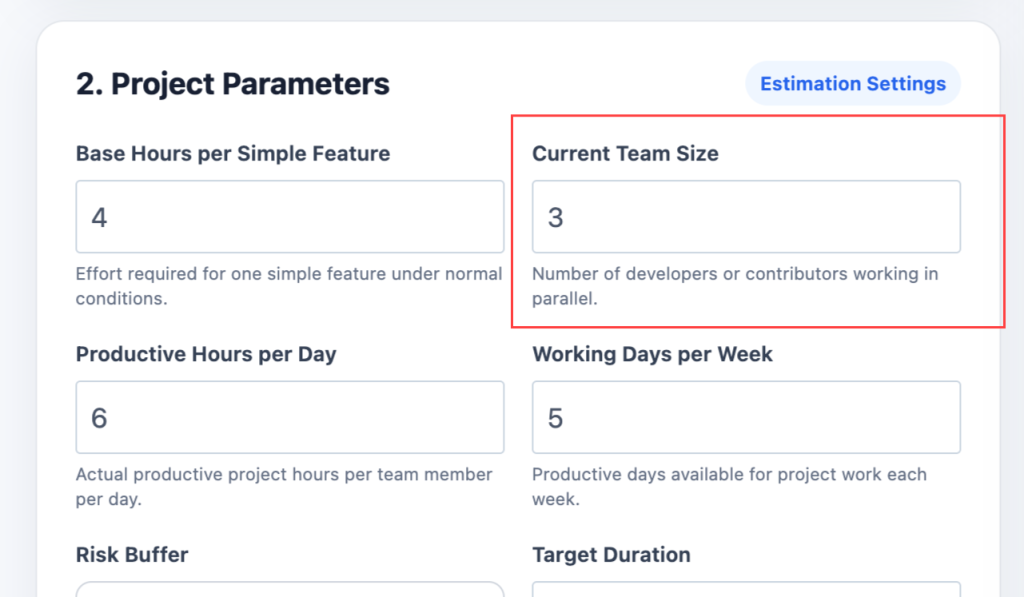
Enter the number of developers or contributors who will work on the project.
Team size affects the estimated project duration because multiple team members can work on tasks in parallel. However, the total estimated effort does not simply decrease when more developers are added.
Step 4: Enter Productive Hours per Day
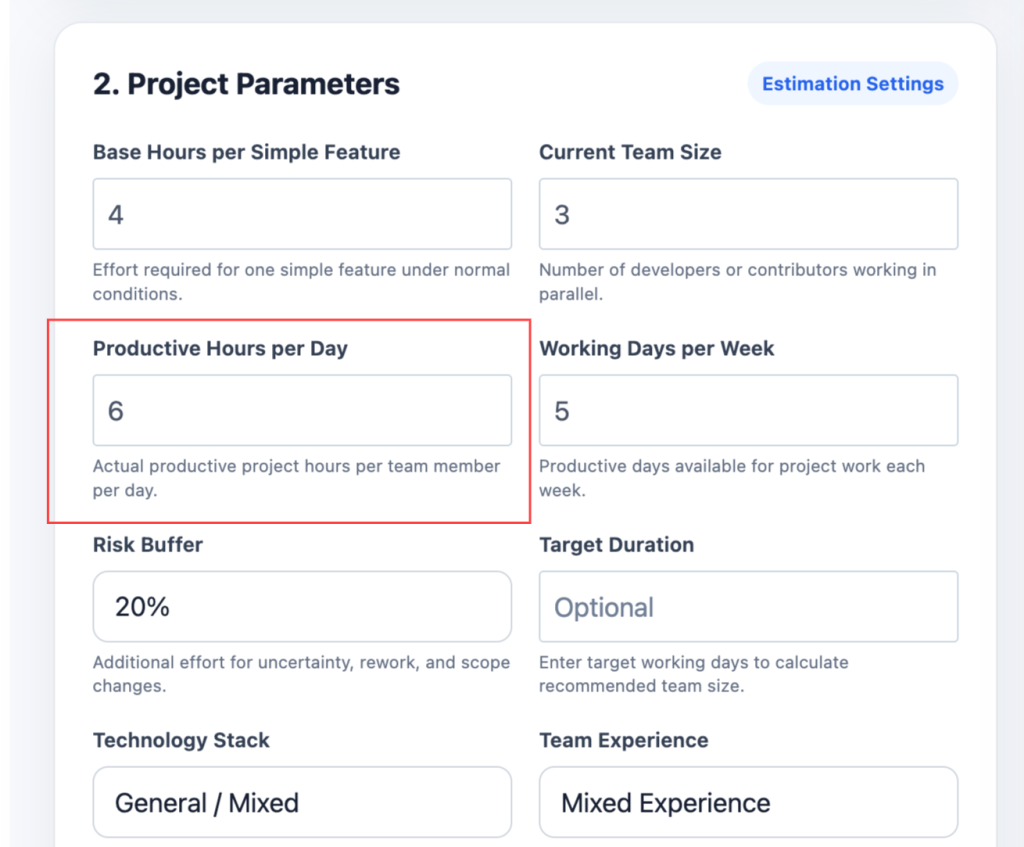
Enter the number of hours each team member can realistically spend on project work each day.
This should represent productive project hours, rather than the total number of hours spent at work. Meetings, communication, code reviews, administration, and context switching can reduce the time available for feature development.
Step 5: Enter Working Days per Week
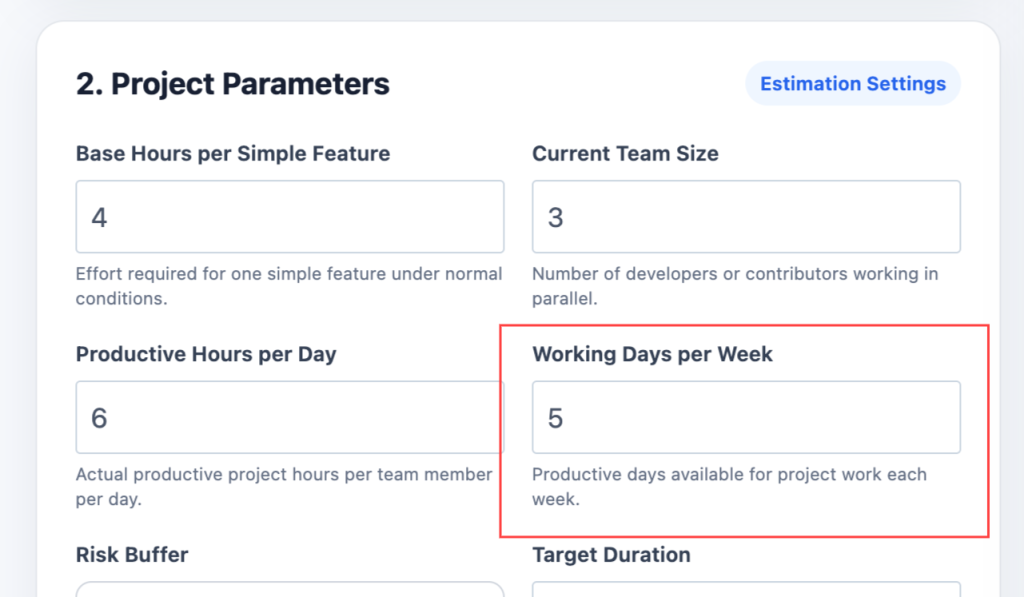
Select or enter the number of productive working days available each week.
For example, a standard project schedule may use 5 working days per week. This value is used to convert the estimated working days into an approximate number of working weeks.
Step 6: Choose a Risk Buffer
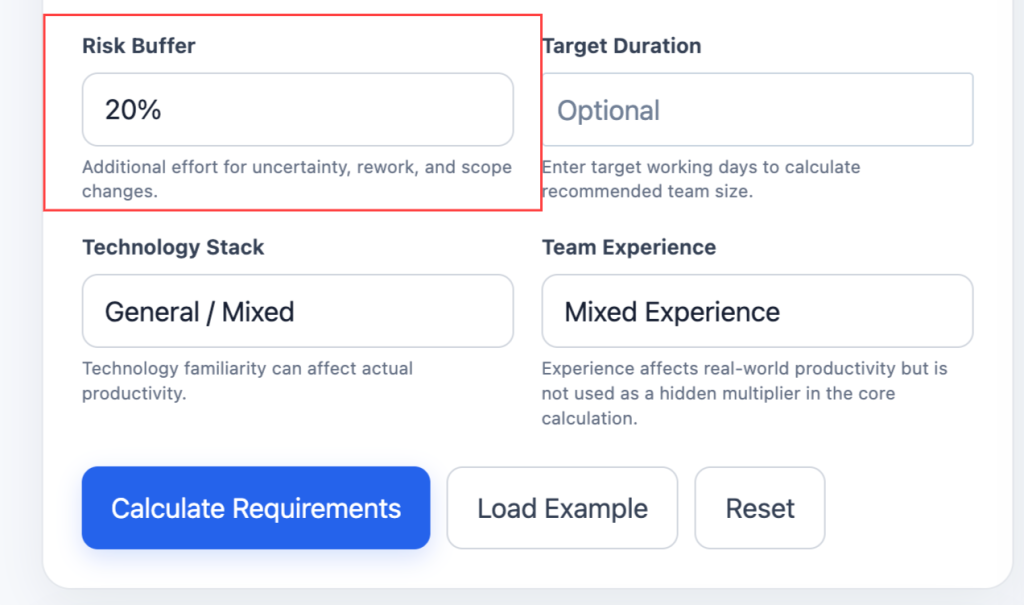
Select a risk buffer percentage to account for uncertainty, rework, unknown technical issues, and potential scope changes.
A 10% to 30% buffer is commonly discussed for software estimation. If you select a 20% buffer, the calculator adds 20% of the base effort to the estimate.
Step 7: Enter an Optional Target Duration
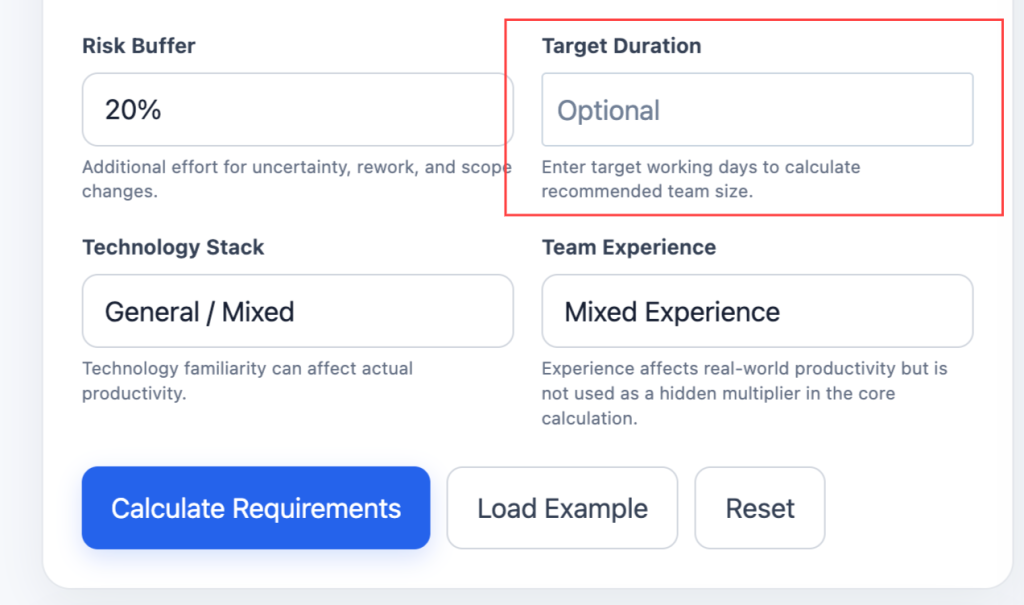
If you have a specific deadline, enter the target number of working days.
The calculator can then estimate the approximate number of developers required to complete the calculated effort within that target duration.
If you leave this field empty, the calculator will still calculate total effort and estimated duration based on your current team size.
Step 8: Select Your Technology and Team Experience
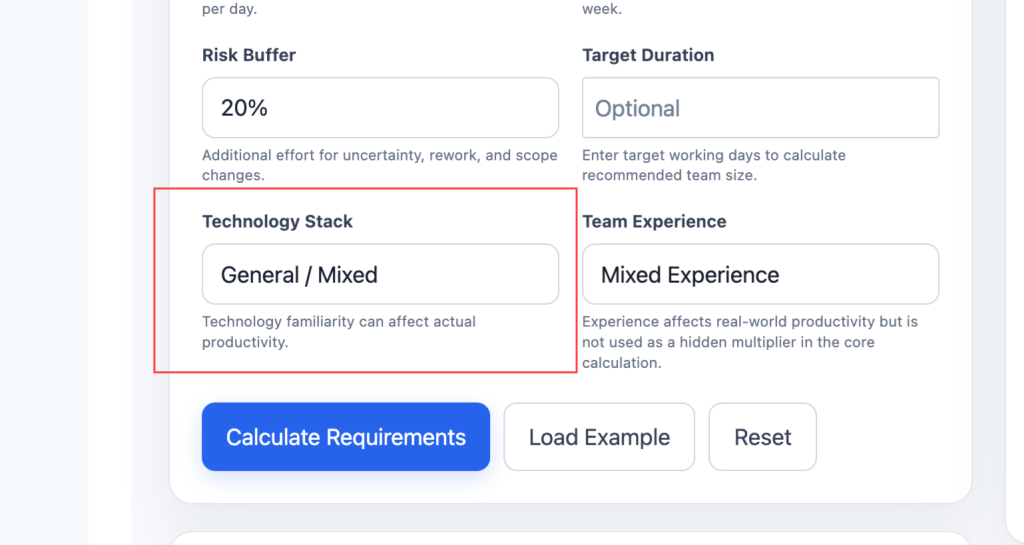
Choose the technology stack being used and indicate the team’s experience level.
These selections provide additional planning context because technology familiarity and team experience can affect actual productivity. The calculator does not apply an arbitrary hidden multiplier to these selections.
Step 9: Click Calculate Requirements
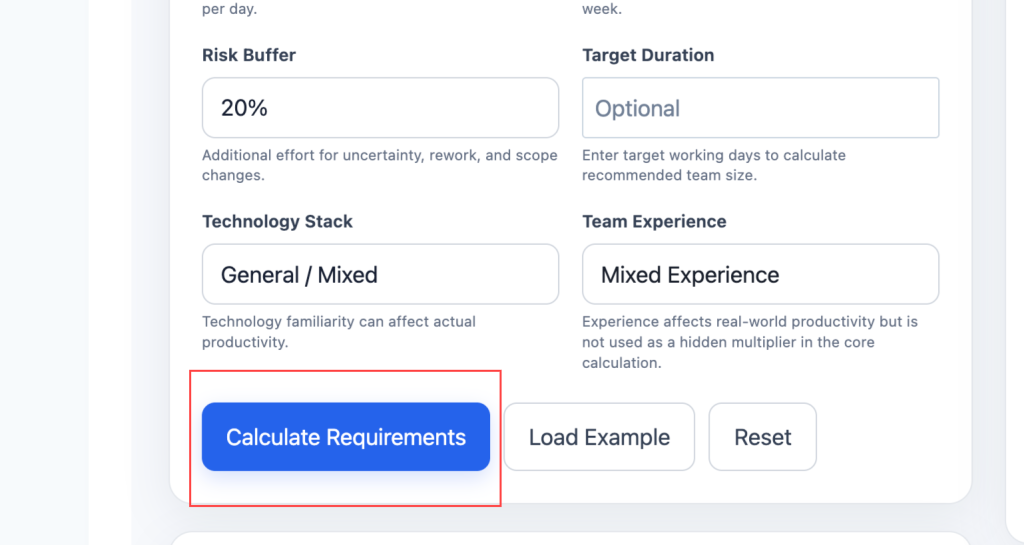
Click Calculate Requirements to generate your estimate.
The calculator will show:
- Total estimated effort in man-hours
- Base effort
- Risk-buffer effort
- Daily team capacity
- Estimated working days
- Estimated working weeks
- Current team size
- Recommended team size when a target duration is provided
- Effort breakdown for Simple, Medium, and Complex features
Step 10: Compare Different Team Scenarios
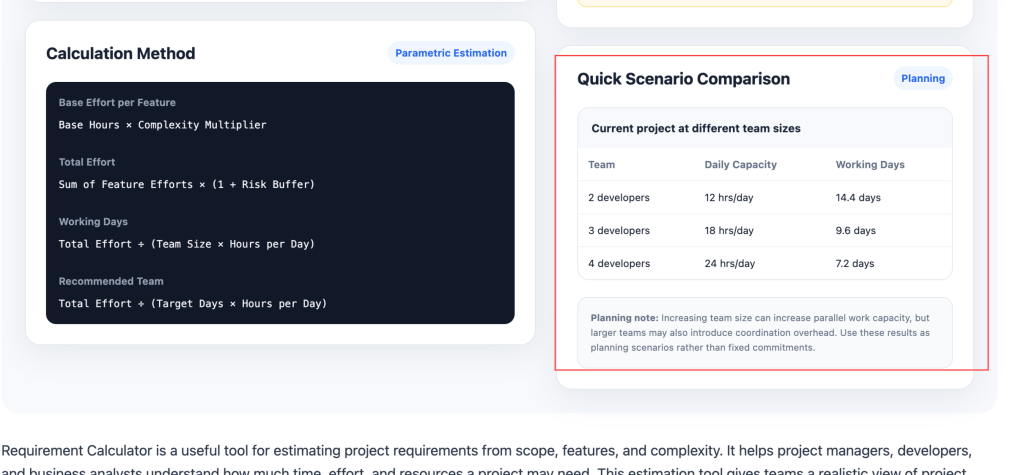
Use the scenario comparison section to see how the estimated duration changes when the team size changes.
For example, you can compare the estimated project duration with one, two, or three developers. This helps you understand the relationship between team capacity and delivery time before making resource-planning decisions.
Step 11: Review and Adjust Your Estimate
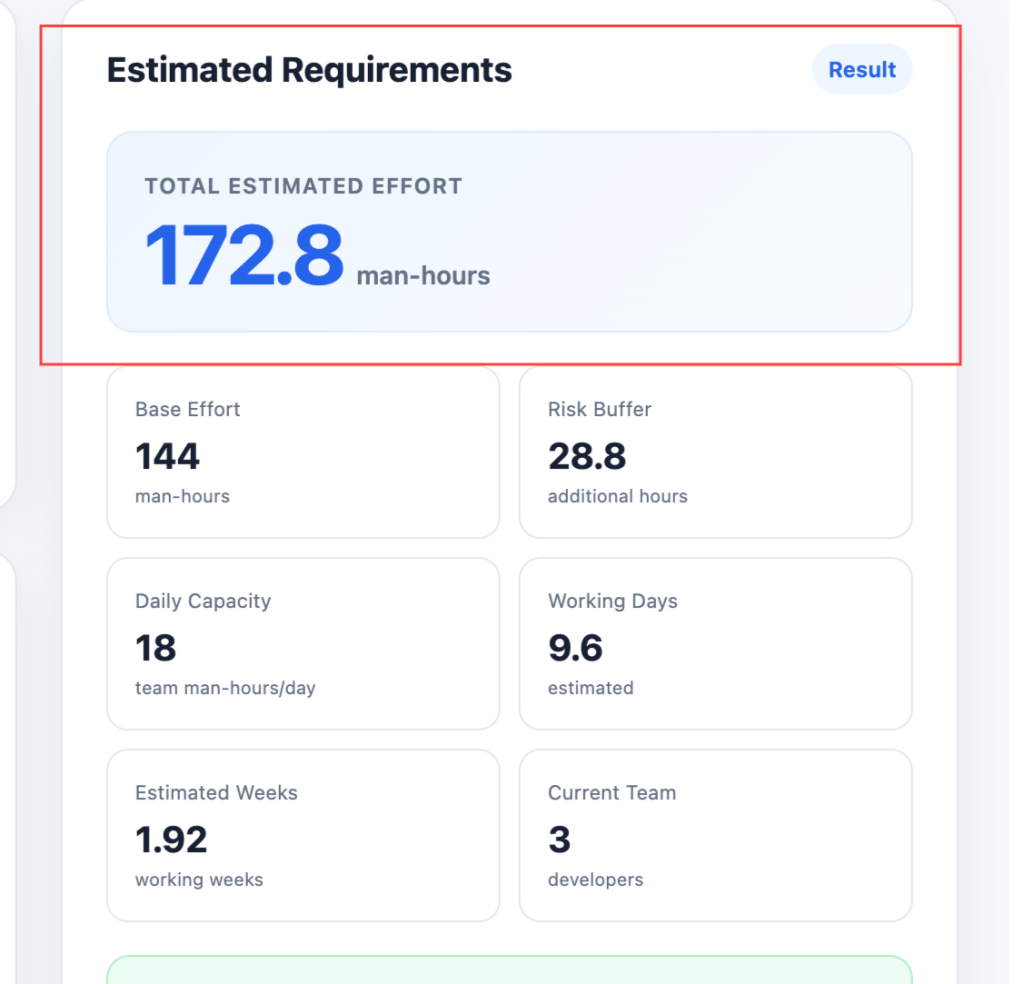
The result is an estimate rather than a guarantee. If your requirements change, update the feature counts, complexity distribution, team capacity, or risk buffer and calculate again.
For more accurate planning, use realistic feature counts and complexity levels based on the actual project scope. Historical project data and input from the people performing the work can also help improve future estimates.
Requirement Calculator Inputs
Every input in the Requirement Calculator serves a specific purpose. Understanding each one helps users generate more accurate effort estimates.
| Input | Meaning | Why It Matters |
| Feature Count | Number of distinct requirements or user stories | Drives total effort directly |
| Complexity Level | Technical difficulty of each feature (Simple, Medium, Complex) | Multiplies base effort per feature |
| Team Size | Number of developers or contributors | Determines parallel work capacity |
| Hours per Day | Available working hours per team member | Affects daily throughput |
| Working Days per Week | Number of productive days per week | Determines weekly capacity |
| Risk Buffer | Percentage added for uncertainty | Protects against underestimation |
| Technology Stack | Tools, frameworks, and platforms used | Influences complexity weights |
| Team Experience | Familiarity with the technology and domain | Affects productivity rates |
The feature count is the most direct driver of total effort. More features mean more work. However, the complexity level of each feature matters just as much. A project with 10 simple features may require less effort than a project with 3 complex features.
Team size determines how quickly work can be completed. Larger teams can parallelize tasks, but coordination overhead increases. Hours per day and working days per week define the capacity available for project work.
The risk buffer is an important input that many estimation tools overlook. Projects rarely go exactly as planned. A 10% to 30% buffer is common in software estimation to account for unknowns, rework, and scope changes. Technology stack and team experience affect how quickly the team can deliver. A team familiar with React and Node.js will estimate a JavaScript project differently than a team learning these tools for the first time.
Requirement Calculator Formula
The Requirement Calculator uses parametric estimation to convert features and complexity into effort estimates. No single formula captures every project, but the core calculation follows a consistent structure.
Base Effort Formula
The base hours represent the effort for a simple feature under normal conditions. The complexity multiplier adjusts this base based on technical difficulty.
Total Effort Formula
The risk buffer is expressed as a decimal. For example, a 20% buffer becomes 0.20 in the formula.
Duration Formula
This formula converts total effort into calendar time based on the available team capacity.
Recommended Team Size Formula
This formula works backward from a target duration to estimate the number of team members required to complete the project within that timeframe.
This formula works backward from a target deadline to determine required staffing.
| Variable | Meaning |
| Base Hours | Effort for a simple feature (e.g., 4 hours) |
| Complexity Multiplier | Weight for Simple (1.0), Medium (2.0), Complex (4.0) |
| Risk Buffer | Percentage added for uncertainty (e.g., 0.20 for 20%) |
| Team Size | Number of developers working in parallel |
| Hours per Day | Productive hours per developer per day |
| Working Days per Week | Days available for project work |
Requirement Calculator Example
This example uses realistic numbers to demonstrate how the calculator works. All results are estimates.
Input:
- Feature Count: 20 features
- Complexity Distribution: 10 Simple, 7 Medium, 3 Complex
- Base Hours per Simple Feature: 4 hours
- Complexity Multipliers: Simple = 1.0, Medium = 2.0, Complex = 4.0
- Team Size: 3 developers
- Hours per Day: 6 hours
- Working Days per Week: 5 days
- Risk Buffer: 20%
Step 1: Calculate Effort per Complexity Tier
- Simple: 10 features × 4 hours × 1.0 = 40 man-hours
- Medium: 7 features × 4 hours × 2.0 = 56 man-hours
- Complex: 3 features × 4 hours × 4.0 = 48 man-hours
Step 2: Total Base Effort
- 40 + 56 + 48 = 144 man-hours
Step 3: Apply Risk Buffer
- 144 × 1.20 = 172.8 man-hours
Step 4: Estimate Duration
- Daily Capacity: 3 developers × 6 hours = 18 man-hours per day
- Duration: 172.8 ÷ 18 = 9.6 working days
| Calculation | Amount |
| Base Effort | 144 man-hours |
| Risk Buffer (20%) | 28.8 man-hours |
| Total Effort | 172.8 man-hours |
| Daily Capacity | 18 man-hours |
| Estimated Duration | 9.6 working days |
This estimate assumes consistent team productivity and requirement stability. Actual effort may differ based on scope changes, technical blockers, and team availability.
Factors That Affect Requirement Calculator Results
Many variables influence project requirements. The calculator can only estimate based on the numbers entered. Real-world effort depends on factors outside the tool’s control.
| Factor | Impact on Estimate |
| Requirement Clarity | Unclear requirements increase rework and estimation error |
| Team Experience | Experienced teams deliver faster and estimate more accurately |
| Technology Familiarity | New tech stacks increase learning curve and effort |
| Scope Stability | Frequent changes inflate effort beyond initial estimates |
| Integration Complexity | Third-party APIs and legacy systems add hidden effort |
| Testing Requirements | Security, performance, and compliance testing add time |
| Team Communication | Distributed teams may have coordination overhead |
| Domain Knowledge | Unfamiliar business domains require research and discovery |
Requirement clarity is one of the strongest predictors of estimation accuracy. Vague requirements lead to scope creep and rework. A calculator cannot measure how much a requirement will change during development.
Team experience matters because productivity rates vary widely. A senior developer may complete a task in 4 hours that takes a junior developer 12 hours. The calculator uses average rates that may not match a specific team.
Technology familiarity affects effort multipliers. Using a familiar framework reduces effort. Learning a new framework while building adds significant overhead.
Integration complexity is often underestimated. Connecting to third-party APIs, legacy systems, or external databases adds unknown effort that a simple feature count cannot capture. Testing requirements also add effort. Security testing, performance testing, and compliance testing are often separate workstreams that the basic calculator may not include.
Gross Effort vs Net Effort
Understanding the difference between gross effort and net effort is essential for accurate project planning.
| Effort Type | Meaning |
| Gross Effort | Total work required before any deductions or buffers |
| Risk Buffer | Additional effort added for uncertainty and unknowns |
| Non-Productive Time | Meetings, email, administrative tasks, context switching |
| Net Effort | Actual productive effort available for feature work |
Gross effort represents the full amount of work required under ideal conditions. For 20 features with mixed complexity, the gross effort might be 144 man-hours.
Risk buffers add contingency effort for unknowns. A 20% buffer adds 28.8 man-hours to the gross effort.
Non-productive time is a critical deduction that many estimates ignore. Developers do not spend 100% of their day coding. Meetings, code reviews, email, and context switching consume 20% to 40% of the workday. The calculator may assume 6 productive hours out of an 8-hour day, which is already a form of deduction.
Net effort is what remains after all deductions. This is the productive capacity available for building features. Project managers should plan around net effort, not gross effort, to avoid overcommitment.
Estimation Methods and Revenue Share
Different estimation methods produce different requirement estimates. The calculator may use one or more of these approaches.
Analogous estimation uses historical data from similar projects. If a previous project with 15 features took 120 man-hours, a new project with 20 similar features might take approximately 160 man-hours. This method is fast but depends on data availability.
Parametric estimation uses statistical relationships between project variables. The calculator applies complexity multipliers and productivity rates to feature counts. This is the most common method in online requirement calculators.
Three-point estimation uses optimistic, pessimistic, and most likely estimates. The PERT formula calculates a weighted average: (Optimistic + 4 × Most Likely + Pessimistic) ÷ 6. This method captures uncertainty better than single-point estimates.
Function point analysis measures software size based on user-facing functionality. It counts inputs, outputs, inquiries, internal files, and external interfaces. Function points are then converted to effort using productivity rates.
Story point estimation is common in Agile teams. Each user story receives a relative size score. The team’s velocity converts story points to calendar time. The calculator may use story points as an input option.
Requirement Calculator Revenue Examples
These scenarios illustrate how effort estimates change with different project sizes. All figures are illustrative estimates.
| Scenario | Features | Complexity Mix | Team Size | Estimated Effort |
| Small | 5 | 4 Simple, 1 Medium | 1 | 24 man-hours |
| Medium | 20 | 10 Simple, 7 Medium, 3 Complex | 3 | 173 man-hours |
| Large | 50 | 20 Simple, 20 Medium, 10 Complex | 5 | 480 man-hours |
| High | 100 | 40 Simple, 40 Medium, 20 Complex | 8 | 960 man-hours |
The small scenario represents a simple project or minimum viable product. One developer can complete it in 3 to 4 working days.
The medium scenario reflects a typical software project with a small team. It takes approximately 2 working weeks.
The large scenario shows a substantial project requiring coordination and planning. It takes approximately 2 to 3 months with a 5-person team.
The high scenario represents an enterprise-scale project. It requires significant planning, multiple workstreams, and dedicated project management.
Requirement Calculator Comparison
The Requirement Calculator can compare different estimation approaches for the same project. Each approach uses different assumptions.
| Estimation Method | Input | Output Type | Best For |
| Feature-Based | 20 features | Man-hours | Early-stage planning |
| Story Points | 40 story points | Sprint capacity | Agile teams |
| Function Points | 15 function points | Effort in person-months | Enterprise software |
| Three-Point (PERT) | Optimistic, likely, pessimistic | Weighted average | High-uncertainty projects |
| Analogous | Past project data | Comparative estimate | Similar projects |
Feature-based estimation is the simplest and most common method. It works well when requirements are reasonably clear.
Story point estimation is ideal for Agile teams that plan in sprints. It captures relative complexity better than absolute hours.
Function point analysis provides a standardized measure that is independent of technology. It is useful for enterprise procurement and vendor comparison.
Three-point estimation is the most robust method for uncertain projects. It forces estimators to consider best-case and worst-case scenarios.
Who Should Use Requirement Calculator?
The Requirement Calculator serves a wide range of professionals involved in project planning and delivery.
Project managers use the tool to create realistic timelines and resource plans. It helps with stakeholder communication and budget justification.
Software developers and tech leads use the calculator to estimate sprint capacity. It helps with task breakdown and commitment planning.
Freelancers and agencies rely on the estimation tool to quote project prices. Accurate estimates protect against undercharging and scope creep.
Business analysts use the requirement estimator to validate project feasibility. It helps with requirement prioritization and trade-off analysis.
Product managers use the tool to compare feature costs. It informs roadmap decisions and release planning.
Researchers and students study estimation techniques using the calculator as a learning aid. It provides a practical framework for understanding project economics.
Benefits of Using Requirement Calculator
The Requirement Calculator offers several practical advantages for project teams, developers, managers, and other stakeholders.
Realistic Effort Expectations
Replace guesswork with structured estimates and understand what your feature list translates to in working hours.
Scope Visibility
See how each feature and complexity tier contributes to total effort, helping teams prioritize important requirements.
Scenario Comparison
Test different team sizes and timelines to understand how adding or removing developers can affect estimated delivery time.
Budget Planning Support
Convert effort estimates into potential project costs by applying an hourly rate to support budgeting and client quoting.
Risk Awareness
Use the risk buffer to acknowledge uncertainty, rework, unknowns, and potential scope changes during planning.
Resource Optimization
Understand whether a project may require additional developers or a longer timeline, helping avoid overstaffing or understaffing.
Stakeholder Communication
Estimates create a shared way to discuss project scope, effort, timelines, and resource requirements with stakeholders.
Sprint Planning Aid
Agile teams can use estimates to understand sprint capacity and support better project and commitment planning.
Time-Saving
Automate calculations across multiple features and complexity levels instead of calculating project effort manually.
Educational Value
Learn how requirement estimation works by seeing the relationship between project inputs, complexity, effort, and estimated outputs.
Limitations of Requirement Calculator
Every estimation tool has limitations. Users must understand what the Requirement Calculator cannot do.
Estimates are not guarantees. The calculator produces projections based on current inputs and assumptions. Actual effort depends on team performance, scope stability, and technical discoveries.
Requirement clarity varies. The calculator assumes that features are understood. In reality, requirements often evolve during development. Rework and scope changes are difficult to predict.
Team productivity is simplified. The calculator uses average productivity rates. Actual productivity varies by individual, team dynamics, and working environment.
Integration complexity is underestimated. Connecting to external systems, APIs, and legacy code adds hidden effort that a simple feature count cannot capture.
Non-functional requirements are excluded. Security, performance, scalability, and compliance requirements add significant effort. The basic calculator may not include these.
Technology changes. Frameworks, libraries, and platforms evolve. An estimate based on current tools may not reflect future changes.
Team experience is hard to quantify. Two teams with the same size may have very different productivity levels. The calculator cannot measure skill or domain knowledge.
Buffer percentages are subjective. The risk buffer is an assumption, not a measurement. Too small a buffer leads to overruns. Too large a buffer leads to inflated estimates.
How Accurate Is Requirement Calculator?
The accuracy of the Requirement Calculator depends entirely on the quality of inputs and the assumptions used in the formula.
Correct inputs are essential. Feature counts should reflect the actual scope, not a wish list. Complexity levels should be assigned by experienced team members, not guessed.
Current rates matter. Productivity rates and complexity multipliers should reflect the team’s actual performance, not industry averages.
Team differences introduce variance. A team with senior developers will deliver faster than a team with juniors. The calculator uses uniform rates that may not match specific teams.
Requirement stability affects accuracy. Stable requirements produce more accurate estimates. Frequently changing requirements make estimation nearly impossible.
Non-functional requirements add uncertainty. Security, compliance, and performance requirements are often discovered during development, not during initial estimation.
Estimation method affects accuracy. Three-point estimation is more robust than single-point estimation. Analogous estimation depends on historical data quality.
Scope creep is the biggest threat to accuracy. Even a perfect estimate becomes wrong when scope expands. The calculator cannot predict how much scope will change.
Estimated Requirements vs Actual Requirements
The difference between estimated requirements and actual requirements is critical for project learning and improvement.
| Estimated Requirements | Actual Requirements |
| Based on assumptions | Based on real delivery |
| Uses estimated rates | Uses actual productivity |
| Useful for planning | Useful for accounting |
| May change | Final effort is recorded |
| Ignores scope creep | Includes all changes |
| Single-point projection | Historical record |
Estimated requirements help teams plan, budget, and commit. They answer questions like “How long will this take?” and “How many developers do we need?”
Actual requirements are what really happened during project execution. They reflect real productivity, actual scope changes, and unforeseen blockers. Actual effort is recorded in time tracking systems and retrospectives.
Teams should use estimates for forward planning and actuals for backward analysis. Comparing the two reveals estimation bias and process inefficiencies. Adjusting inputs based on actual results improves future estimates.
How to Improve Requirement Estimates
Improving estimation accuracy requires a combination of better inputs, historical data, and structured processes.
Break features into smaller pieces. Large features are harder to estimate. User stories with clear acceptance criteria produce better estimates.
Use historical data. Track actual effort for past projects. Use actual productivity rates instead of industry averages.
Involve the team. Estimates created by the people doing the work are more accurate than top-down estimates. Planning poker and estimation sessions improve accuracy.
Apply three-point estimation. For uncertain features, estimate optimistic, likely, and pessimistic effort. Use the PERT formula to calculate a weighted average.
Review estimates regularly. Estimates should be updated as requirements become clearer. Re-estimation during sprint planning improves accuracy.
Track estimation error. Compare estimated effort to actual effort for each feature. Identify patterns and adjust multipliers accordingly.
Common Requirement Calculator Mistakes
Avoiding these common mistakes improves the accuracy of requirement estimates.
- Using unrealistic feature counts: Listing every possible feature inflates effort estimates. Focus on core requirements first.
- Ignoring complexity differences: Treating all features as equally complex produces inaccurate estimates. Complexity multipliers are essential.
- Forgetting risk buffers: Estimates without contingency lead to overruns. A 10% to 30% buffer is standard.
- Confusing effort with duration: Effort is man-hours. Duration is calendar time. The two are not the same.
- Ignoring non-productive time: Developers do not code 8 hours per day. Meetings, email, and context switching reduce productive capacity.
- Using outdated productivity rates: Technology changes affect productivity. Rates from 3 years ago may not apply today.
- Treating estimates as commitments: Estimates are projections, not promises. Stakeholders should understand uncertainty.
- Overlooking integration effort: Connecting to APIs and legacy systems adds hidden work. The calculator should account for this.
- Neglecting testing effort: Testing is 20% to 40% of total effort in many projects. The calculator should include testing as a feature or multiplier.
- Skipping re-estimation: Requirements change. Estimates should be updated as scope evolves.
Tips for Better Requirement Estimates
Improve the accuracy of your Requirement Calculator results with these practical tips.
Use Realistic Inputs
Base feature counts on actual requirements, not aspirational scope. Use complexity levels assigned by experienced developers.
Use Current Information
Check industry benchmarks and team productivity data. Rates can change as tools, technologies, and skills improve.
Separate Effort from Duration
Understand that effort represents the total amount of work, while duration represents calendar time. Team size affects duration, not the total amount of work.
Include Buffers
Add a risk buffer of 10% to 30% based on requirement clarity and the level of uncertainty in the project.
Consider Team Differences
Consider team experience and domain knowledge when evaluating productivity. A senior team may deliver faster than a junior team.
Update Estimates Regularly
Recalculate estimates when requirements change or team capacity shifts. Outdated estimates can become misleading as project conditions change.
Compare Multiple Scenarios
Test conservative, moderate, and optimistic inputs. Comparing different scenarios can show a useful range of possible project outcomes for planning.
Related Requirement Calculations
The Requirement Calculator connects to several related calculations that project teams find useful.
Cost Estimation: Multiply effort (man-hours) by hourly rate to estimate project cost. Add tools, licenses, and infrastructure costs for total budget.
Sprint Capacity Calculation: Multiply team size by hours per day and working days per sprint. This determines available capacity for sprint planning.
Velocity Calculation: Divide completed story points by sprint duration. This measures team throughput and informs future estimates.
Critical Path Calculation: Identify the longest sequence of dependent tasks. This determines the minimum project duration.
Resource Loading Calculation: Map effort to specific team members over time. This reveals overallocation and idle time.
Lesser-Known Facts About Requirement Calculator
| Fact No. | Fact |
| 1 | The PERT formula (Optimistic + 4 × Most Likely + Pessimistic) ÷ 6 is one of the most widely used three-point estimation methods |
| 2 | Function point analysis was developed by Allan Albrecht at IBM in the 1970s |
| 3 | COCOMO (Constructive Cost Model) is one of the oldest software estimation models, developed by Barry Boehm in 1981 |
| 4 | Story points are relative, not absolute. A 5-point story is not necessarily 5 times harder than a 1-point story |
| 5 | Planning poker uses Fibonacci sequence numbers (1, 2, 3, 5, 8, 13) to estimate relative complexity |
| 6 | The 90th percentile estimate is often 2 to 4 times larger than the median estimate in software projects |
| 7 | Brooks’s Law states that adding manpower to a late software project makes it later, not earlier |
| 8 | Agile estimation replaced absolute hours with relative story points to reduce estimation anxiety |
| 9 | The cone of uncertainty shows that early estimates can vary by 4x in either direction |
| 10 | Reference class forecasting uses actual outcomes from similar past projects to reduce optimism bias |
| 11 | Wideband Delphi is a structured estimation technique where experts estimate anonymously and iterate toward consensus |
| 12 | Parametric estimation uses historical data and statistical relationships to predict effort |
| 13 | Bottom-up estimation sums individual task estimates to produce a total project estimate |
| 14 | Top-down estimation uses high-level project attributes to produce a macro estimate |
| 15 | Estimation accuracy improves as projects progress because uncertainty decreases over time |
Requirement Calculator FAQs
Find answers to common questions about requirement estimation, project effort, team capacity, and calculator results.
The Requirement Calculator is a tool that estimates project effort from feature counts and complexity levels. It produces man-hour estimates and duration projections. The tool helps project teams plan resources and timelines.
The calculator takes feature counts, complexity levels, and team capacity as inputs. It applies complexity multipliers to base effort and sums the results. A risk buffer is added for uncertainty.
Accuracy depends on input quality and assumption validity. The calculator provides estimates, not guarantees. Actual effort varies based on team performance, scope stability, and technical discoveries.
The main inputs are feature count, complexity distribution, team size, hours per day, and risk buffer. Each input affects total effort and duration in different ways.
Most calculators allow users to set a risk buffer percentage. A 10% to 30% buffer is common. The buffer protects against unknowns and rework.
The calculator calculates both. Effort is total work in man-hours. Duration is calendar time based on team capacity. The two are related but distinct.
Yes. Team experience, domain knowledge, and technology familiarity affect productivity. A senior team delivers faster than a junior team. The calculator uses average rates that may not match specific teams.
Yes. Actual effort depends on scope changes, technical blockers, and team availability. Estimates should be treated as planning tools, not commitments.
Most online requirement calculators are free tools with no account required. Users can run unlimited calculations and test different scenarios.
The calculator is useful for budget planning, resource allocation, and client quoting. However, users should combine calculator estimates with historical data and team input for business decisions.
Conclusion
The Requirement Calculator estimates project effort from features and complexity. It uses team size and capacity to project duration. The estimation tool helps teams plan resources and timelines.
The formula combines base hours, complexity multipliers, and risk buffers. Team experience and requirement clarity affect actual delivery. Scope changes and technical discoveries cause significant variation.
Estimated requirements support planning, while actual effort reflects real outcomes. The calculator is a starting point, not a guarantee. Use it to set goals, compare scenarios, and make informed decisions about project scope.
Use the Requirement Calculator to estimate your project effort. Enter realistic feature counts and compare different team sizes before making planning decisions.